TESTING AREA for teachers - real service at plus.tuni.fi
Chat as an Exercise
Before diving deeper into our JavaScript module, let us explore how the language handles different tasks. Unlike synchronous code, JavaScript is event-driven and asynchronous, relying on an Event Loop to keep the main thread unblocked.
Loupe: Visualizing the Event Loop
Use Loupe to study how the stack, APIs, and task queue interact.
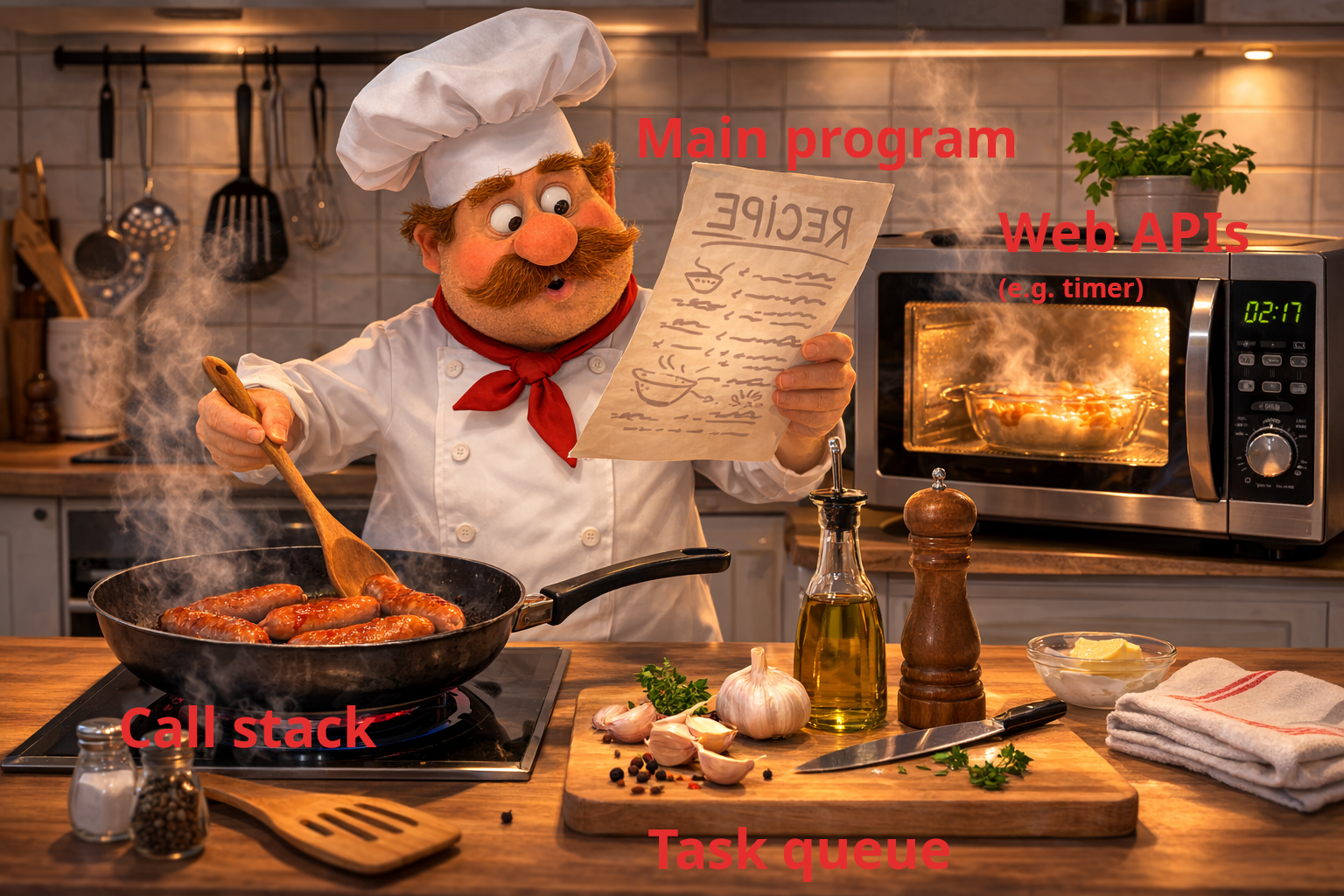
Chef in his busy kitchen:
The recipe that the chef follows is the JavaScript main program
The frying pan represents the call stack
The microwave stands for the Web APIs, such as timers.
The task queue is like the tray on the table where prepared tasks wait to be served.
Notice the similarities with Loupe’s visualization of the JavaScript runtime. What do you think the chef represents in this analogy?
1. Event Listeners
JavaScript code does not run purely in a straight, linear sequence. Instead, much of a program’s behavior depends on events such as user actions (clicks, key presses) or browser activity. To react to these events, JavaScript uses event listeners. An event listener subscribes a callback function, called an event handler, to a specific event. When that event occurs, the browser invokes the corresponding handler function.
const button = document.getElementById('myButton');

// Simple event handler
button.addEventListener('click', () => console.log('Clicked!'));

// OR: event handler that schedules a timer
button.addEventListener('click', function onClick() {
  setTimeout(() => console.log('Clicked!'), 2000);
});
2. The Browser’s Web APIs
Because JavaScript is single-threaded, it cannot perform multiple tasks at once. To prevent the UI from freezing during heavy or delayed operations (like timers, network requests, or DOM events), JavaScript offloads these to Web APIs provided by the browser.
Call Stack → Web APIs → Task Queue → Event Loop → back to Call Stack
When the task finishes, the callback moves to the task queue to wait for the call stack to clear.
3. The setTimeout Paradox
Even with a delay of 0ms, setTimeout behaves asynchronously:
console.log("A");
setTimeout(() => console.log("B"), 0);
console.log("C");

// Result: A, C, B
A & C: Run immediately on the main call stack.
B: Is handed off to a Web API. Once the timer expires, it sits in the task queue.
Event Loop: Only pushes
Bto the stack once the main script finishes.
A+ presents the exercise submission form here.